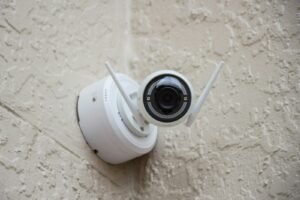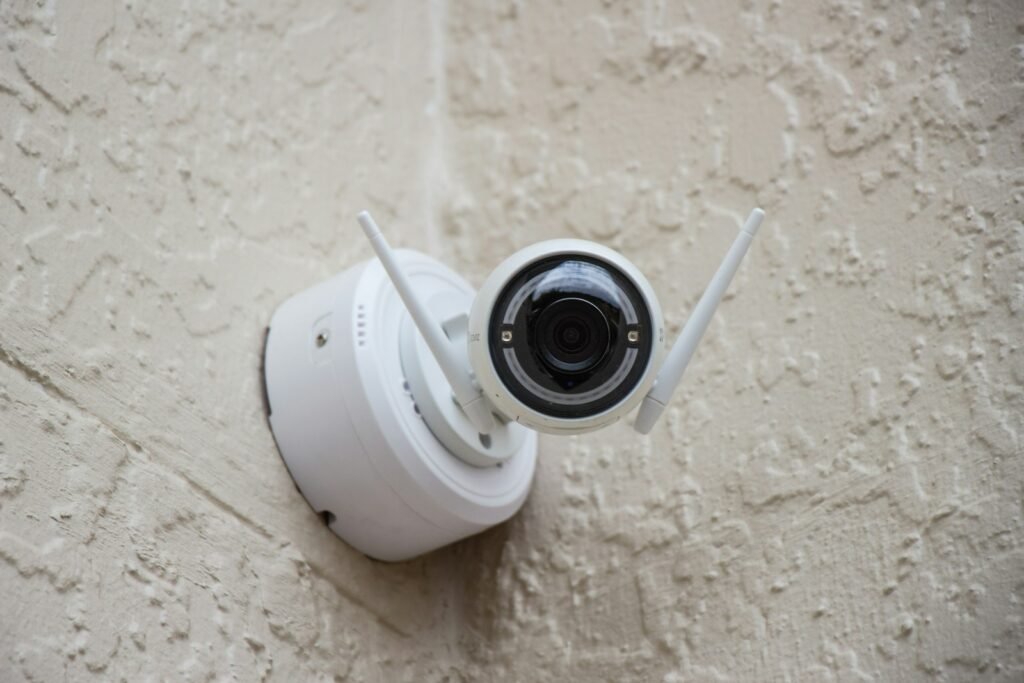
Looking for the best home office security cameras to keep an eye on client paperwork, expensive equipment, or just your peace of mind while you’re away from your desk? We compared indoor security cameras across price points and feature sets to find picks that actually fit a home office — not a whole-house surveillance system. Below are our top home office security cameras, from a budget-friendly Tapo to a wired PoE Reolink for anyone treating this as real business security.
Quick Comparison: The Best Home Office Security Cameras at a Glance
| Product | Rating | Price | Best For | Link |
|---|---|---|---|---|
| Ring Indoor Cam (newest model) | 4.7/5 | CAD 41.70 | Best Overall | View on Amazon |
| Tapo C101 1080P Indoor Security Camera | 4.3/5 | CAD 27.21 | Best Budget | View on Amazon |
| Kasa EC71 1080p Pan/Tilt Camera | 4.4/5 | CAD 41.70 | Best for Subscription-Free Storage | View on Amazon |
| Tapo C211 2K Pan Tilt Camera (2-Pack) | 4.5/5 | CAD 62.56 | Best 2K Value | View on Amazon |
| Arlo Essential Indoor Pan Tilt Zoom Camera (2K, Wired) | 4.4/5 | CAD 69.52 | Best Premium Pick | View on Amazon |
| REOLINK CX810 4K UHD PoE Security Camera | 4.3/5 | CAD 180.76 | Best for Serious Home-Office Security | View on Amazon |
| blurams 2K Indoor Camera, 360° Pet Camera | 4.2/5 | CAD 23.60 | Best Ultra-Budget | View on Amazon |
Our Top Picks
1. Ring Indoor Cam (newest model) — Best Overall
Ring’s Indoor Cam pairs 1080p HD video and color night vision with a physical privacy cover you swivel shut with your finger, so the camera can’t see or hear anything when you’re on a confidential call. It’s Alexa-compatible and gives real-time motion alerts you can tune to ignore harmless activity like a chair rolling into frame.
| ✅ Pros | ❌ Cons |
|---|---|
| Manual privacy cover cuts power to the lens and mic instantly | Full history playback needs a Ring Protect subscription |
| 4.7 stars across 45,000+ reviews — the most-reviewed pick here | Only 1080p, not 2K or 4K |
| Works with Alexa for voice control and Echo Show streaming |
Best for: Overall.
2. Tapo C101 1080P Indoor Security Camera — Best Budget
TP-Link’s Tapo C101 covers the essentials — motion detection, two-way audio, a built-in siren, and night vision — without the premium price tag. It stores clips to a local microSD card or the cloud, so you’re not forced into a subscription just to review footage from your desk.
| ✅ Pros | ❌ Cons |
|---|---|
| Lowest price in this lineup by a wide margin | 1080p resolution only |
| Local SD card storage avoids a mandatory subscription | App interface is more basic than Ring’s or Arlo’s |
| Built-in siren doubles as a basic deterrent |
Best for: Budget.
3. Kasa EC71 1080p Pan/Tilt Camera — Best for Subscription-Free Storage
The Kasa EC71 is built around the idea that you shouldn’t have to pay monthly to see your own footage — it supports subscription-free local storage alongside an optional cloud plan. Pan/tilt motion tracking keeps a moving subject centered in frame, useful in a home office that doubles as a hallway pass-through.
| ✅ Pros | ❌ Cons |
|---|---|
| Genuinely subscription-free local storage option | 1080p resolution, not 2K |
| Pan/tilt motion tracking follows movement across the room | Pan/tilt motor adds a small amount of mechanical noise |
| Two-way audio for quick check-ins |
Best for: Subscription-Free Storage.
4. Tapo C211 2K Pan Tilt Camera (2-Pack) — Best 2K Value
Stepping up to 2K resolution, the Tapo C211 sells as a two-pack, which makes it a practical option if you want a camera on both the office door and the room itself. Motion detection, siren, and night vision carry over from the cheaper Tapo line, but the sharper image is a real upgrade for identifying faces at a distance.
| ✅ Pros | ❌ Cons |
|---|---|
| 2K resolution is a clear step up from the 1080p picks | Higher total cost than a single 1080p camera |
| Two-pack means better per-camera value if you need coverage in two spots | Pan/tilt base is plastic and feels less premium than Arlo’s |
| Cloud and SD card storage supported |
Best for: 2K Value.
5. Arlo Essential Indoor Pan Tilt Zoom Camera (2K, Wired) — Best Premium Pick
Arlo’s Essential Indoor camera covers a full 360° pan and 180° tilt, so one unit mounted in a corner can watch an entire home office rather than a fixed angle. Auto motion tracking and separate animal/sound detection cut down on false alerts triggered by a dog walking past the desk.
| ✅ Pros | ❌ Cons |
|---|---|
| 360° pan / 180° tilt covers the whole room from one mount | Full feature set (rich notifications, longer clip history) needs Arlo Secure after the trial |
| Separate animal and sound detection reduces false alerts | Costs more than the Tapo and Kasa options |
| Comes with a 1-month Arlo Secure plan to try before subscribing |
Best for: Premium Pick.
6. REOLINK CX810 4K UHD PoE Security Camera — Best for Serious Home-Office Security
The Reolink CX810 is a Power-over-Ethernet camera, meaning it runs on a single wired connection instead of Wi-Fi — a real advantage if your home office holds client files or hardware you don’t want dependent on a wireless signal that can drop or be jammed. It adds true 4K color night vision, person/vehicle/pet detection, and a built-in spotlight and siren.
| ✅ Pros | ❌ Cons |
|---|---|
| Wired PoE connection is far more reliable than Wi-Fi cameras for continuous recording | Needs a PoE injector or PoE-capable network switch if your router doesn’t supply PoE |
| True 4K UHD with color night vision | Highest price of the cameras on this list |
| Smart detection (person/vehicle/pet) cuts irrelevant alerts |
Best for: Serious Home-Office Security.
7. blurams 2K Indoor Camera, 360° Pet Camera — Best Ultra-Budget
For a second or third camera to cover a closet, storage cabinet, or side entrance near your office, the blurams 2K delivers 360° motion tracking and dual-band Wi-Fi 6 at the lowest price on this list. It’s not a primary-camera pick, but it’s a reasonable way to extend coverage cheaply.
| ✅ Pros | ❌ Cons |
|---|---|
| Lowest price of any camera reviewed here | Build quality and app polish trail the bigger brands |
| 2K resolution at a budget price point | Best suited as a secondary camera, not your main one |
| Dual-band Wi-Fi 6 support |
Best for: Ultra-Budget.
How We Selected These Products
We compared publicly listed specs, verified customer ratings, and review volume for each camera, then weighed the following criteria before shortlisting a product:
- Price — value relative to resolution and feature set, not just the cheapest option
- Video quality — 1080p minimum, with 2K/4K and color night vision noted where present
- Privacy controls — physical lens covers, local storage options, and subscription-free modes were weighted favorably for a security-and-privacy use case
- Detection accuracy — smart detection (person/vehicle/pet) that reduces false alerts over generic motion sensing
- Verified customer reviews — real buyer ratings and review counts from Amazon listings
- Reliability — wired/PoE options were noted as a meaningfully more reliable choice over Wi-Fi-only cameras for continuous coverage
Buying Guide: What to Look for Before You Buy
Wired vs. Wi-Fi Cameras
Wi-Fi cameras are easier to install and reposition, but they depend entirely on your wireless network — if your Wi-Fi drops or gets congested, so does your recording. A PoE (Power over Ethernet) camera like the Reolink CX810 runs over a wired connection, trading installation flexibility for a much more consistent feed, which matters more if you’re protecting business equipment or client files.
Resolution: 1080p vs. 2K vs. 4K
1080p is enough to tell that someone entered the room; 2K and 4K let you read a face or a license plate at a distance. If your office has a window facing the street or you want to identify a specific person later, spend the extra money on resolution.
Local Storage vs. Cloud Subscriptions
Several cameras here support a local microSD card, which means you own your footage outright and never pay a subscription to review it. Cloud storage plans add convenience (off-site backup, longer retention, AI-powered search) but come with a recurring cost — decide up front whether you actually need cloud features or just want a working camera.
Privacy Features Matter for a Home Office
A home office camera watches a space where you also take confidential calls and handle sensitive documents. A physical privacy cover or shutter — not just a software toggle — is the most reliable way to guarantee the camera isn’t recording during those moments.
Smart Detection vs. Basic Motion Sensing
Basic motion detection triggers on anything that moves, including a ceiling fan or sunlight shifting across the wall. Smart detection that specifically flags a person, vehicle, or pet cuts down on false alerts dramatically, which keeps you from tuning out real notifications.
Two-Way Audio and Alerts
Two-way audio lets you speak through the camera — useful for telling a family member you’re on a call, or for basic deterrence if you spot something on the live feed while you’re away.
Frequently Asked Questions
Do I need a subscription to use a home office security camera?
No — several cameras on this list, including the Tapo and Kasa picks, support local microSD storage with no required subscription. Cloud-based features like extended history and AI search are typically optional add-ons, not requirements for basic recording and alerts.
Is a wired or Wi-Fi security camera better for a home office?
Wi-Fi cameras are simpler to install and move, and are fine for most home offices. A wired PoE camera is worth the extra setup if you’re protecting business equipment, client files, or anything where a dropped Wi-Fi connection during a break-in would be a real problem.
Can these cameras record audio as well as video?
Yes, all the cameras reviewed here include two-way audio, letting you both hear and speak through the camera from the companion app.
How do I make sure the camera isn’t recording during confidential calls?
Look for a camera with a physical privacy cover or shutter, like the Ring Indoor Cam’s manual swivel cover, rather than relying on a software-only privacy mode — a physical cover guarantees the lens and microphone are actually disabled.
What resolution do I actually need for a home office camera?
1080p is sufficient for general monitoring and knowing someone entered the room. Choose 2K or 4K if you specifically need to identify a face or read details like a license plate at a distance.
Conclusion
For most home offices, the Ring Indoor Cam is the best all-around pick — its physical privacy cover and strong review track record make it an easy default. If you want to avoid subscription costs entirely, the Tapo C101 or Kasa EC71 are solid budget options with local storage. And if you’re protecting real business assets and want the most reliable connection, the wired Reolink CX810 is worth the higher price.