Loose sticky notes stuck around a monitor edge or scattered across a desk are easy to lose track of, and the pad itself often ends up buried under other papers. By the end of this guide, you’ll have a sticky note holder set up so notes stay visible and the pad stays put instead of sliding around.
What You’ll Need
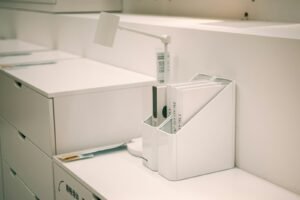
- A sticky note holder — a dispenser like the Post-it Dispenser (White Cat Design) keeps a fresh pad weighted and ready to peel one-handed
- A memo board option like the MDOZQ Computer Monitor Memo Board (2-Pack) if you want notes visible without them stuck directly to your monitor bezel
- 5 minutes to sort current notes
Step-by-Step Instructions
Step 1: Gather all your current loose sticky notes
Collect every sticky note currently stuck to your monitor, desk, or scattered around, and quickly sort them into still-relevant and can-be-tossed.
Step 2: Toss outdated notes before setting up the holder
Starting fresh with only current, relevant notes prevents old clutter from immediately filling up your new organized setup.
Step 3: Load a fresh pad into the dispenser
Place a full pad into the dispenser according to its design — most weight the pad or use a spring mechanism so you can peel one note at a time without the pad sliding.
Step 4: Position the holder within easy reach
Place it beside your keyboard or monitor base, somewhere you’ll actually reach for it rather than needing to get up or lean across the desk.
Step 5: Move any notes worth keeping onto a monitor memo board
If you’re using a board rather than sticking notes directly to your monitor bezel, transfer any notes you want visible onto the board instead.
Step 6: Do a weekly pass to remove outdated notes
Once a week, remove any note that’s no longer relevant, keeping the visible collection current rather than letting old notes accumulate alongside new ones.
Tips for Best Results
- Toss outdated notes on a regular schedule rather than letting them accumulate indefinitely
- Use a monitor memo board instead of sticking notes directly to the monitor bezel to avoid adhesive residue over time
- Position the dispenser on your dominant hand’s side for faster one-handed peeling
- Reserve sticky notes for short-term reminders; move anything you need long-term into a proper task list or document
Common Problems
The most common issue is old notes accumulating around a monitor bezel indefinitely because there’s no routine for removing them. A quick weekly check — removing anything no longer relevant — keeps the visible notes actually useful instead of turning into background clutter you stop reading.
Frequently Asked Questions
Will sticky notes damage my monitor if stuck directly to it?
Occasional use is generally fine, but frequent sticking and removing over a long period can leave adhesive residue on some monitor bezels — a dedicated memo board avoids this entirely.
How often should I clear out old sticky notes?
A weekly check is enough for most home offices — remove anything no longer relevant so the visible notes stay current and useful.
What’s the benefit of a sticky note dispenser over just using the pad directly?
A dispenser keeps the pad weighted and positioned for one-handed peeling, preventing the pad itself from sliding around the desk the way a loose pad does.
Should I use sticky notes for long-term reminders?
No — sticky notes work best for short-term, quickly-resolved reminders. Anything you need to track longer-term is better suited to a proper task list or document.
Conclusion
A sticky note setup only stays useful if you regularly clear out what’s no longer relevant — the holder itself just keeps things visible and in place. Ready to upgrade? Check our Best Sticky Note Holders guide for a full comparison of top picks.