A desktop cable organizer — often called a cable spine or vertebrae — is built specifically for sit-stand desks, flexing as the desk moves through its height range instead of leaving cables dangling or stretched tight. But the category hides two genuinely different products: true flexible spines and simpler fixed channels that don’t flex at all. Picking the wrong one for your desk means either paying for flex you don’t need or buying something that strains and eventually fails on a desk that actually changes height every day.
Key Factors to Consider
Spine/Vertebrae vs. Fixed Channel
A true spine or vertebrae organizer is flexible and designed to move with a sit-stand desk. A fixed channel or sleeve is simpler and cheaper but doesn’t flex — fine for a desk that never changes height, less ideal for one that does.
Mounting Style: Clamp, Magnetic, or Weighted Base
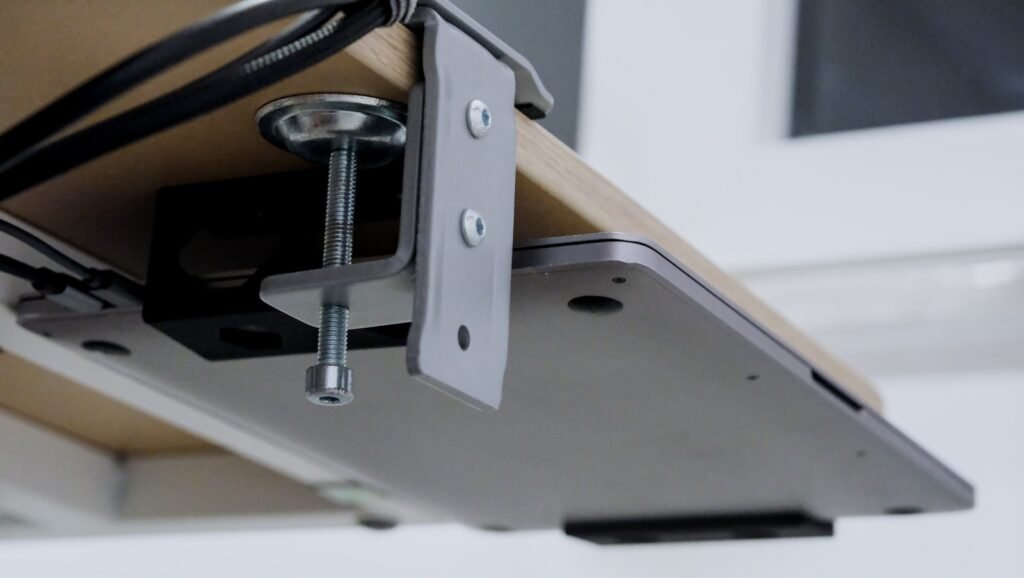
Clamp mounts are the most common and work on most desk edges without tools. Magnetic mounts install faster but only work on a metal-frame desk. A weighted base skips mounting to the desk entirely, useful if your desk edge doesn’t suit a clamp.
Entry Points & Cable Capacity
A single-entry spine funnels all cables from one point at the top, which can get crowded past 4-5 cables. A quad-entry design spreads cables across multiple entry points, keeping a mixed bundle of power, USB, and monitor cables from tangling.
Length & Flex Range for Standing Desks
Measure your desk’s full height range, from lowest sitting position to highest standing position, and make sure the organizer’s flex range covers it with a little slack. A spine that’s too short will pull taut and strain at full extension.
Do You Even Need a Spine?
If your desk never changes height, a spine’s flexibility is a solved problem you don’t need to pay for — a simple cable raceway or under-desk tray handles a fixed-height desk’s cables for less money.
Common Mistakes to Avoid
- Buying a spine for a fixed-height desk. You’re paying for flex you’ll never use — a raceway or tray does the same job cheaper.
- Ignoring the flex range. A spine too short for your desk’s full height range will strain and eventually crack at full extension.
- Assuming any mount works. Magnetic mounts only grip a metal frame — check your desk’s material before choosing one over a clamp.
- Underestimating cable count. A single-entry spine crowds fast past 4-5 cables; a quad-entry design handles a mixed bundle far more cleanly.
Our Recommendations
If you’d rather skip the comparison shopping, these cover the most common situations. For the full lineup with pricing and ratings, see our Best Desktop Cable Organizers guide.
Best Overall: VIVO Under Desk Vertebrae Cable Management Kit
The most-reviewed spine-style organizer we found, with a quad-entry design and a no-drill clamp mount, at 598+ ratings and 4.4 stars.
Best Budget Spine: Vertebrae Cable Management Spine (Quad Entry)
A true flexible spine at a lower price than premium kits, with the same quad-entry concept for accepting cables from multiple points.
Best Magnetic / No-Drill: VIVO Standing Desk Vertebrae Magnetic Kit
Swaps the clamp for a magnetic mount, installing in seconds on a metal-frame standing desk with no clamping or drilling.
Frequently Asked Questions
What’s the difference between a cable spine and a cable raceway?
A spine flexes and is built for sit-stand desks that change height. A raceway is a rigid channel meant for a fixed-height desk, wall, or floor run where cables never need to move.
Do I need a cable spine if I don’t have a standing desk?
Not usually. A cable spine’s main advantage is flexing as desk height changes. On a fixed-height desk, a simpler and cheaper raceway or tray works just as well.
How many cables can a cable spine hold?
Most spines comfortably hold 4-8 standard cables, depending on entry points and diameter. A quad-entry design handles a mixed bundle more cleanly than a single-entry spine.
Will a magnetic mount hold on any desk?
No, magnetic mounts only work on a desk with a metal frame or metal edge the magnet can grip. Check your desk’s frame material before choosing a magnetic-mount spine.
Can I install a cable spine without drilling into my desk?
Yes, most spines use a clamp, magnet, or weighted base rather than screws, so no drilling is required.
Conclusion
A good desktop cable organizer keeps cords from dangling, snagging, or straining as a sit-stand desk moves through its height range. Whether you need a true flexible spine or a simpler fixed channel comes down to one question: does your desk actually change height? See our Best Desktop Cable Organizers for a Home Office in 2026 guide for the full lineup.