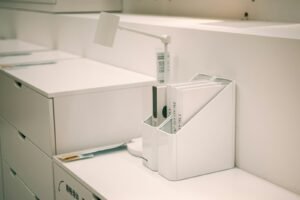
A pen holder sounds like the simplest desk accessory there is, but a poor setup still leaves you digging through a drawer for a working pen. By the end of this guide, you’ll have a pen holder set up so every pen, marker, and small tool you actually use is visible and within reach — and everything you don’t use is gone.
What You’ll Need
- A pen holder that fits your actual pen count — a caddy like the Deco Brothers Desk Organizer Pen Holder Caddy works well for a mixed collection of pens and small tools
- A simpler option like the Amazon Basics Wire Mesh Pen Holder if you just need a single cup
- 5 minutes to test every pen you currently own
- A trash bin nearby for pens that don’t write anymore
Step-by-Step Instructions
Step 1: Empty every pen, marker, and highlighter onto your desk
Pull every writing tool out of drawers, cup holders, and random desk corners into one pile so you can see the full count before deciding what actually earns a spot.
Step 2: Test-write with each one
Quickly scribble a line with every pen and marker. Anything that skips, runs dry, or has dried out gets tossed now — there’s no point giving a dead pen a permanent home in your holder.
Step 3: Keep only what you’ll actually reach for
Set aside your 5-10 most-used pens, pencils, and markers for the holder. Everything else (backups, novelty pens, rarely-used highlighter colors) goes into a drawer instead of taking up prime desk real estate.
Step 4: Place the holder in your dominant hand’s reach
Position it just off to the side of your keyboard on your writing-hand side, close enough to grab a pen without shifting your whole body.
Step 5: Group similar tools together within the holder
If your holder has multiple compartments, keep pens in one section and markers/highlighters in another so you’re not fishing through a mixed pile for the right tool.
Tips for Best Results
- Do a pen test every few months — pens dry out even if you rarely use them
- Keep the holder to your 5-10 most-used tools; store backups elsewhere
- A rotating base helps if the holder sits slightly out of direct reach
- Ceramic and metal holders resist tipping better than lightweight plastic when loaded with heavier tools
Common Problems
The most common issue is the holder slowly filling back up with pens that don’t work, since it’s easy to drop a pen back in without testing it first. A quick semi-annual test-and-toss pass keeps the holder useful instead of becoming a graveyard for dead pens.
Frequently Asked Questions
How many pens should I keep in my pen holder?
Most people only regularly reach for 5-10 writing tools — keep those in the holder and store any backups or rarely-used colors in a drawer instead.
How often should I check for dried-out pens?
Every few months is enough for most home offices — pens can dry out even without regular use, so a quick test-and-toss pass keeps the holder from filling with dead pens.
Should I separate pens and markers in the same holder?
If your holder has multiple compartments, yes — grouping by tool type makes it faster to grab the right one without digging through a mixed pile.
What’s the best material for a pen holder?
Ceramic and metal holders resist tipping better than lightweight plastic once loaded with several pens, though mesh and plastic options are lighter and cheaper if tipping isn’t a concern on your desk.
Conclusion
A pen holder only stays useful if it holds tools you actually use — the setup is less about the holder itself and more about being willing to toss what doesn’t work. Ready to upgrade? Check our Best Pen Holders guide for a full comparison of top picks.