Quick Answer
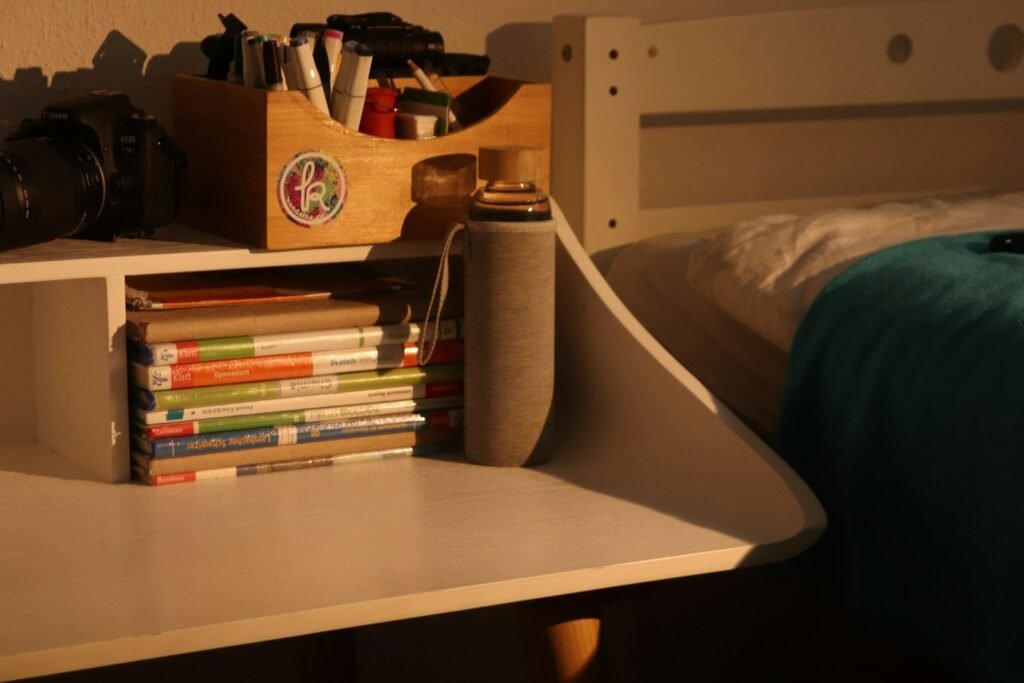
Desktop shelving is a small, tiered shelf unit that sits directly on a desk surface, adding vertical storage for books, small supplies, or decor without needing wall space or a separate piece of furniture.
How It Works
The unit sits on the desk like any other object, using vertical space above the desk surface rather than adding floor footprint. Most designs have 2-5 tiers of varying height, letting you organize items by size or category across levels. Because it occupies part of the desk surface itself, positioning matters more than with wall-mounted storage — placed poorly, it can crowd a monitor or reduce usable desk space rather than adding genuinely useful storage.
Benefits
- Adds vertical storage without needing wall space or a separate furniture piece
- Keeps reference books, small supplies, or decor elevated and organized by tier
- No mounting or installation required — it simply sits on the desk
- Portable if you rearrange your desk layout later
Types of Desktop Shelving
Simple open-tier shelves are the most common, offering straightforward stacked storage. Desk hutch styles add more shelves and sometimes small compartments or drawers built into the structure. Corner-designed units fit into an unused desk corner rather than sitting centered, which can help avoid blocking a monitor.
Who Needs This?
Anyone who wants more storage on their desk without giving up floor space or mounting anything to a wall benefits from desktop shelving, particularly for items they want visible and reachable but not necessarily on the primary desk surface itself.
Desktop Shelving vs. Floating Wall Shelves
Desktop shelving sits on the desk and takes up desk surface footprint. Floating wall shelves mount to the wall above the desk, adding storage without using any desk space at all — a better option if desk surface space is more limited than wall space.
Frequently Asked Questions
Will desktop shelving block my monitor?
It can if the unit is too deep or centered directly behind your screen — measure with your monitor in its normal position before ordering, and consider off-center placement if needed.
How much weight can desktop shelving hold?
This varies by model and material — check the stated weight capacity per shelf, and always place heavier items on lower tiers regardless of the unit’s total capacity.
What should I store on desktop shelving versus on the desk itself?
Reserve shelving for items you don’t need constant hands-on access to — reference books, decor, backup supplies — while keeping daily-use items on the desk surface.
Does desktop shelving reduce usable desk space?
It can if positioned poorly — confirm the unit still leaves enough clear desk surface for typing and other daily tasks before committing to a spot.
Is desktop shelving better than floating wall shelves?
Neither is universally better — desktop shelving needs no installation but uses desk footprint, while wall shelves need mounting but free up the desk entirely.
Can desktop shelving hold a printer or other equipment?
Some sturdier models can, but check the weight rating carefully — most desktop shelving is designed for books and light items, not heavier office equipment.
Next Steps
Ready to buy one? See our Best Desktop Shelving picks for a full comparison of top-rated options.