Quick Answer
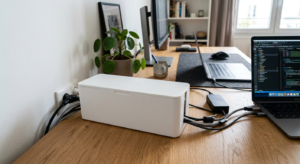
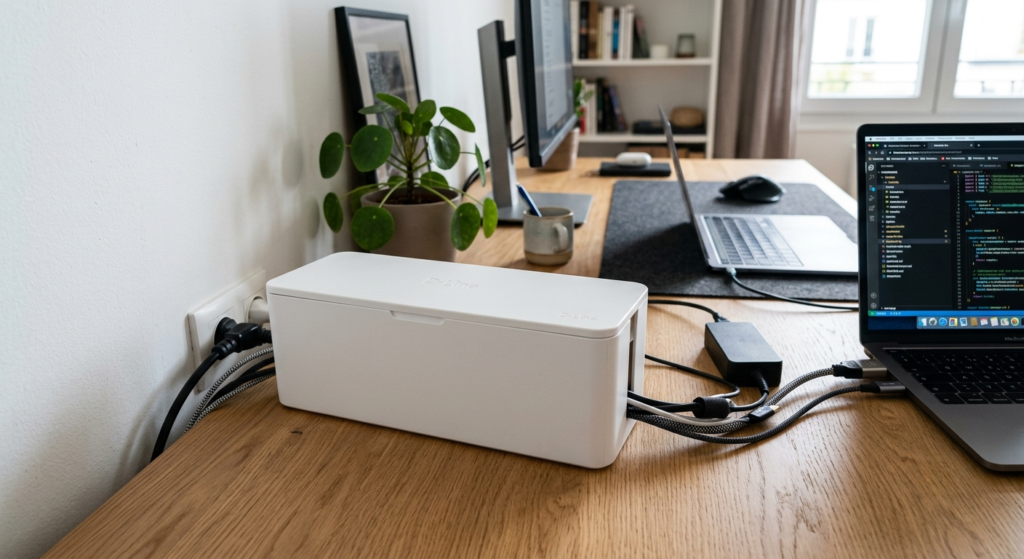
A cable box is an enclosed container, usually with entry slots on each end, that hides a power strip and its plugged-in cables inside one unit. Instead of a power strip and cord cluster sitting exposed, everything is tucked inside the box with only the necessary cables exiting through the slots.
How It Works
A power strip sits inside the box with its own cables fed in through one entry slot, while device cables plugged into the strip’s outlets run out through another slot to reach their destinations. The lid closes over the top, fully hiding the strip and any excess cable slack while still keeping outlets reachable if you open the box again later. Because the strip sits enclosed rather than fully sealed, most boxes are built with small ventilation gaps or slots so heat generated by the strip and any connected chargers can still dissipate rather than building up inside a closed container.
Benefits
- Hides an entire power strip and its cable cluster in one enclosed unit
- Keeps excess cable slack tucked away instead of coiled loosely nearby
- Reduces dust buildup on an otherwise exposed power strip and cable ends
- Gives a room a cleaner look without needing to run cables through walls
Types of Cable Boxes
Cable boxes range from simple plastic enclosures sized for a single standard power strip to larger models with multiple entry points for bigger setups. Some include a wood-look lid meant to double as a small side table surface, while others prioritize ventilation slots for power strips that run warm under heavier loads.
Who Needs This?
Anyone with a power strip and its attached cables sitting exposed on the floor or a desk — a common sight under a home office desk — benefits from a cable box, especially if the strip and cords currently collect visible dust or clutter that space.
Cable Boxes vs. Under-Desk Cable Trays
A cable box fully encloses a power strip and hides it from view entirely, which suits a floor-level setup where visibility isn’t wanted at all. An under-desk tray instead mounts the power strip up off the floor but typically leaves it partially visible from below — a better fit if you want the strip elevated and reachable rather than fully concealed.
Frequently Asked Questions
Is it safe to enclose a power strip in a cable box?
Yes, as long as the box has ventilation and you’re not exceeding the power strip’s rated wattage — avoid stacking heat-generating devices or overloading a single strip inside an enclosed box.
What size cable box do I need?
Measure your power strip’s length, width, and height plus a few inches for cable slack before buying, since a box that’s too tight won’t close fully once everything is inside.
Can a cable box hold more than one power strip?
Some larger boxes can, but check the box’s interior dimensions and your combined power strip footprint first.
How do cables get in and out of a cable box?
Most boxes have pre-cut entry slots on each end specifically for routing cables in and out while keeping the power strip itself hidden inside.
Does a cable box need any maintenance once installed?
Occasionally opening it to check for dust buildup or overheating is good practice, especially if the power strip runs several higher-wattage devices at once.
Can I use a cable box for something other than a power strip?
Some people use them to hide small routers, modems, or charging hubs as well — check the box’s interior dimensions against whatever device you’re enclosing.
Next Steps
Ready to buy one? See our Best Cable Boxes picks for a full comparison of top-rated options.