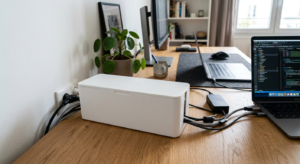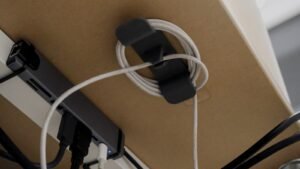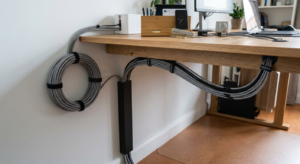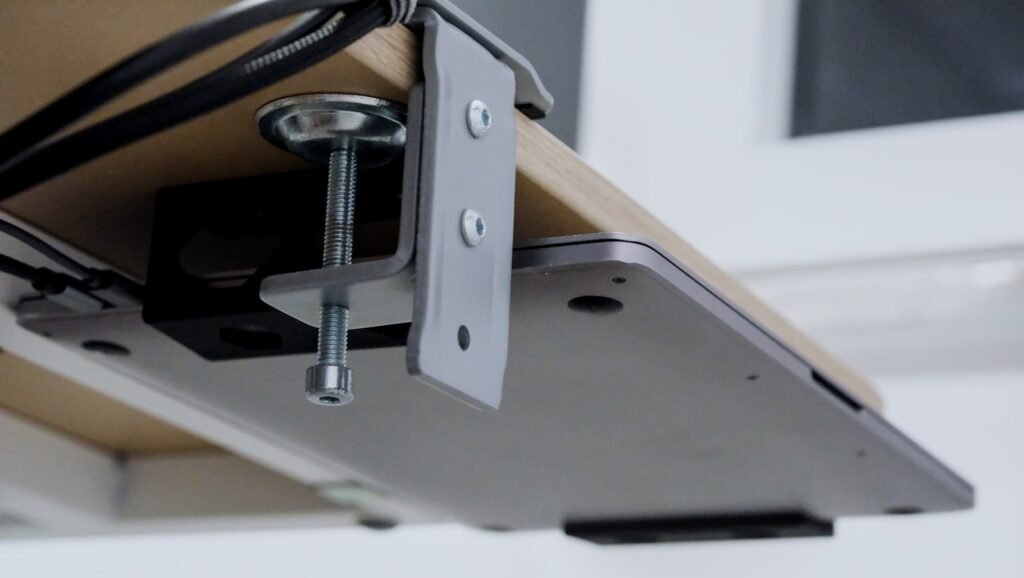
Looking for the best under-desk cable trays for your home office? A cable tray clamps or sticks to the underside of your desk and lifts the power strip, adapters, and cord clutter off the floor entirely, instead of leaving them in a pile you have to step around. Unlike a cable box that sits on the floor, a tray keeps everything within arm’s reach when you need to plug something in. We read through under-desk cable trays reviews and compared the top under-desk cable trays for 2026 on weight capacity, mounting style, and price. Our top pick installs in minutes with no drilling, but a few other options below might suit your desk and power strip better.
Quick Comparison: The Best Under-Desk Cable Trays at a Glance
Prices shown in CAD, pulled from live Amazon listings — click through for current pricing.
| Product | Rating | Price | Best For | |
|---|---|---|---|---|
| No-Drill Metal Mesh Tray w/ Clamp Mount | 4.7★ (3,200) | CAD 19.63 | Best Overall | Check Price → |
| No-Screw Self-Adhesive Tray (Set of 2) | 4.5★ (6,650) | CAD 44.83 | Most-Reviewed / Set of 2 | Check Price → |
| Yecaye 2-Pack Large Metal Tray | 4.4★ (938) | CAD 27.47 | Best for Heavier Loads | Check Price → |
| Extendable Metal Tray, Retractable 31″ | 4.5★ (790) | CAD 36.47 | Best Adjustable Length | Check Price → |
| Univivi 36″ Fabric Tray | 4.7★ (719) | CAD 56.11 | Best Premium / Fabric | Check Price → |
| Yecaye Clamp Mesh (Dual-Direction F-Clamp) | 4.5★ (53) | CAD 19.63 | Best Budget / Compact | Check Price → |
Our Top Picks
1. No-Drill Metal Mesh Tray w/ Clamp Mount — Best Overall
This clamp-mount mesh tray holds a 4.7-star average across 3,200 ratings, the strongest combination of sample size and score in this list. The open mesh design lets heat from a power strip or adapter dissipate instead of building up underneath a solid tray.
| ✅ Pros | ❌ Cons |
|---|---|
| 4.7-star average across 3,200+ ratings — the strongest combination in this list | Fixed length — doesn’t extend for wider desks |
| Clamp mount installs in minutes with no drilling | Mesh design isn’t fully enclosed, so cords are visible from below |
| Open mesh ventilates heat from power strips and adapters |
Best for: anyone who wants the most proven, easiest-to-install option for a standard-width desk.
2. No-Screw Self-Adhesive Tray (Set of 2) — Most-Reviewed / Set of 2
With 6,650 ratings, this is the most-reviewed tray in this list. It ships as a set of two, so you can run one under the desk for the power strip and a second elsewhere — a shelf, a nightstand, or a second desk.
| ✅ Pros | ❌ Cons |
|---|---|
| 6,650+ ratings — the largest sample size in this list | Highest price of the six for what you get per tray |
| Two trays cover two separate spots from one order | Adhesive mount is less reversible than a clamp |
| Self-adhesive install needs no drilling or clamping hardware |
Best for: setups that need two trays — a desk plus a second surface — from a single purchase.
3. Yecaye 2-Pack Large Metal Tray — Best for Heavier Loads
Rated for 12 lbs per tray, this pack is built for a fully loaded power strip plus adapters and a small hub, rather than just a bare cord. The black metal construction holds its shape better than lighter plastic options under sustained weight.
| ✅ Pros | ❌ Cons |
|---|---|
| 12 lbs load-bearing capacity per tray — handles a fully loaded power strip | Lower rating average than the top two picks |
| Sturdy metal construction resists sagging over time | Smaller rating sample than the bestsellers on this list |
| No-drill installation, no damage to the desk |
Best for: a power strip loaded down with multiple adapters, a small hub, or other heavier gear.
4. Extendable Metal Tray, Retractable 31″ — Best Adjustable Length
This tray extends to fit desks of different widths instead of locking you into one fixed length, which matters if you’re not sure exactly where the power strip needs to sit relative to the desk legs.
| ✅ Pros | ❌ Cons |
|---|---|
| Retractable design adjusts to fit different desk widths | Moving parts mean more that can wear out than a fixed tray |
| Clamp mount needs no drilling | Smaller rating sample (790) than the top picks |
| Solid 4.5-star average |
Best for: desks where you’re not certain of the exact width you’ll need, or setups that might move to a different desk later.
5. Univivi 36″ Fabric Tray — Best Premium / Fabric
Univivi swaps metal mesh for thick, flame-retardant 600D oxford fabric with built-in ties to fix cables in place, and it unfolds fully for easy access. It’s the priciest tray here but also carries the highest rating, at 4.7 stars.
| ✅ Pros | ❌ Cons |
|---|---|
| Highest rating of the six at 4.7 stars | Highest price of the six |
| Flame-retardant 600D fabric with built-in cable ties | Smaller rating sample (719) than the plastic/metal bestsellers |
| 36″ length and unfolding design suit wider desks and bigger setups |
Best for: a wide desk with a larger cable load, where the extra length and fabric build are worth the higher price.
6. Yecaye Clamp Mesh (Dual-Direction F-Clamp) — Best Budget / Compact
This compact mesh tray matches the top pick’s price while offering a dual-direction clamp that adapts to different desk edge shapes. Its rating sample is still small, but the early average is solid.
| ✅ Pros | ❌ Cons |
|---|---|
| Dual-direction F-clamp adapts to different desk edge shapes | Only 53 ratings so far — a much smaller sample than the rest of this list |
| Mesh design ventilates heat like the top pick | Compact size may not fit a heavily loaded power strip |
| Matches the lowest price in this list |
Best for: a compact setup with a single power strip and a tight budget.
How We Selected These Products
We compared these six based on published product specs, verified Amazon ratings, and each manufacturer’s material and load-capacity claims. That means checking:
- Weight capacity relative to a typical loaded power strip
- Mounting style — clamp, adhesive, or screw
- Material — metal mesh, fabric, or plastic
- Length and whether it’s fixed or extendable
- Verified customer reviews, not just star averages
- Installation time and tools required
Buying Guide: What to Look for Before You Buy
Weight Capacity
Add up what’s actually going in the tray — a power strip, a couple of wall adapters, maybe a small hub — and check that against the tray’s rated capacity. Trays rated under 5 lbs can sag or pull loose under a fully loaded power strip.
Mounting Style: Clamp vs. Adhesive vs. Screw
Clamp mounts are the most reversible — no marks, easy to move to a new desk. Adhesive mounts hold well on smooth surfaces but are semi-permanent once stuck. Screw mounts are the most secure but put permanent holes in the desk.
Length & Desk Width
Measure your desk’s width, not just where you think the power strip will sit. A fixed-length tray that’s too short leaves cables hanging past the end; an extendable tray adds flexibility if you’re unsure or might change desks later.
Material: Metal Mesh vs. Fabric vs. Plastic
Metal mesh and fabric both ventilate heat better than solid plastic, which matters if the tray is holding a power strip feeding anything with a real power draw. Solid plastic trays are cheaper but trap more heat underneath.
Installation Time & Tools
Clamp-mount trays typically install in under five minutes with no tools. Adhesive mounts need a clean, dry surface and a cure time before loading the tray. Screw mounts take longest but won’t shift or loosen over time.
Ventilation & Heat Safety
A power strip generates some heat even under normal use. Open mesh or fabric designs let that heat escape; fully enclosed solid trays can trap it, especially in a tight space under a desk with limited airflow.
Common Mistakes to Avoid
- Underestimating the load. A power strip plus several wall adapters adds up fast — check the tray’s rated capacity against the actual weight, not a guess.
- Choosing solid plastic for a heavy power draw. Enclosed plastic traps heat; mesh or fabric ventilates it away.
- Not measuring desk width. A fixed-length tray too short for the desk leaves cables hanging past the end, defeating the point.
- Going straight to adhesive on a rental. Adhesive mounts are semi-permanent — a clamp mount avoids the commitment if you might move.
Frequently Asked Questions
How much weight can an under-desk cable tray hold?
It varies by model, from around 5 lbs on lighter trays up to 12 lbs or more on reinforced metal ones. Add up your power strip and adapters before buying, and choose a tray rated comfortably above that total.
Do I need to drill holes to install a cable tray?
No — most trays sold today use a clamp or adhesive mount specifically to avoid drilling. Screw-mount trays exist and are the most secure option, but they’re the exception rather than the default now.
What size cable tray do I need for my desk?
Measure your desk’s width at the point where the power strip will sit. Most trays run 15-20 inches for a single power strip; wider desks or bigger cable loads may need a 30-36 inch model or an extendable tray.
Can an under-desk tray hold a power strip safely?
Yes, as long as the tray’s rated capacity comfortably covers the power strip’s weight plus whatever is plugged into it. Favor mesh or fabric designs over solid plastic if the power strip feeds anything with real power draw, for better heat dissipation.
Fabric vs. metal cable tray — which is better?
Metal mesh tends to be cheaper and just as effective for a standard power strip. Fabric trays are usually pricier but fold flat, ventilate well, and often include built-in ties for organizing multiple cables inside the same tray.
Under-desk cable tray vs. cable box — which one should I use?
A tray mounts under the desk and keeps everything within reach; a cable box sits on the floor and fully encloses the power strip. Trays suit setups where you plug things in often; boxes suit a power strip you rarely touch once it’s set up.
Conclusion
An under-desk cable tray is one of the simplest upgrades in this whole cluster: five minutes of clamp installation and your power strip is off the floor for good. The no-drill metal mesh tray is our top pick thanks to its strong rating at scale, but the heavier-duty Yecaye pack, the extendable option, and the premium Univivi fabric tray each fit a specific desk and cable load better. Measure your desk width and add up your power strip’s weight before you buy.
More Cable Management Guides
- The Ultimate Guide to Cable Management for a Home Office (2026)
- How to Install an Under-Desk Cable Tray (Step-by-Step)
- Best Cable Raceways for a Home Office in 2026
- Best Cable Labels for a Home Office in 2026